Introduction
The supreme commander map editor - in it's current pre-alpha development status - is a bit complicated to use. The tools you need for map editing are found in a dialog window called "Layers", and each of these tools have one or more different property windows, and sometimes even show/hide different toolbar buttons. Don't be afraid though, with some patience and this guide you'll learn your way around quickly.
Let's start with a description of the default menu and it's submenus, followed by an in-depth look at the various tools you'll find in the "Layers" dialog window.
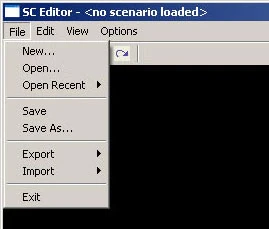
File
- New...: Creates a new map
- Open...: Opens an already existing map
- Open Recent: Shows a list of last edited maps
- Save: Save the current map
- Save As...: Save the map under a new name
- Export: Used to export various map properties and contents
- Import: Used to import them back into your map
- Exit: Closes the editor
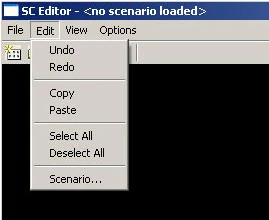
Edit
- Undo: Undo your last operation
- Redo: Redo your last operation
- Copy: Copy to clipboard
- Paste: Paste from clipboard
- Select All: Self-explanatory
- Deselect All: Self explanatory
- Scenario...: Opens a dialog window to edit scenario options
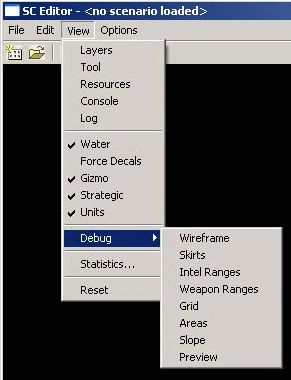
View
- Layers: Shows the dialog window that contains all editing tools
- Tool: Opens the tool properties window, specific for ech tool in the layers window
- Resources: Opens the resource browser
- Console: Shows the console window
- Log: Shows the log window
- Water: Enables/Disables the display of water
- Force Decals: ?
- Gizmo: ?
- Strategic: ?
- Units: ?
- Debug:
- Wireframe: Enables/disables wireframe rendering
- Skirts: ?
- Intel Ranges: ?
- Weapon Ranges: ?
- Grid: Shows/hides the grid
- Areas: Shows/hides area rectangles
- Slope: Shows/hides color coding for slopes
- Preview: Displays a preview rendering of the map (?)
- Statistics: Shows a stats menu
- Reset: ?
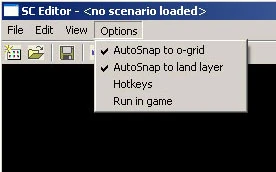
Options
- AutoSnap to o-grid: snaps props and markers to the grid when moved around
- AutoSnap to land layer: ?
- Hotkeys: Shows the hotkey menu
- Run in game: quickly test your map in supcom. doesn't work in the pre-alpha :(
The layers menu is a collection of all the tools you need to edit your maps. Please see the specific subsections for a detailed explanation of each:
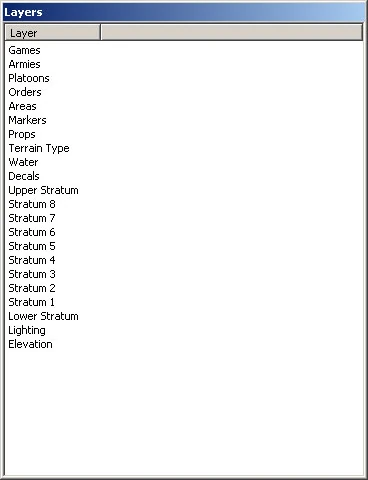
- Games
- Armies
- Platoons
- Orders
- Areas
- Markers
- Props
- Terrain Type
- Water
- Decals
- Strata 1-8, lower and upper stratum
- Lighting
- Elevation
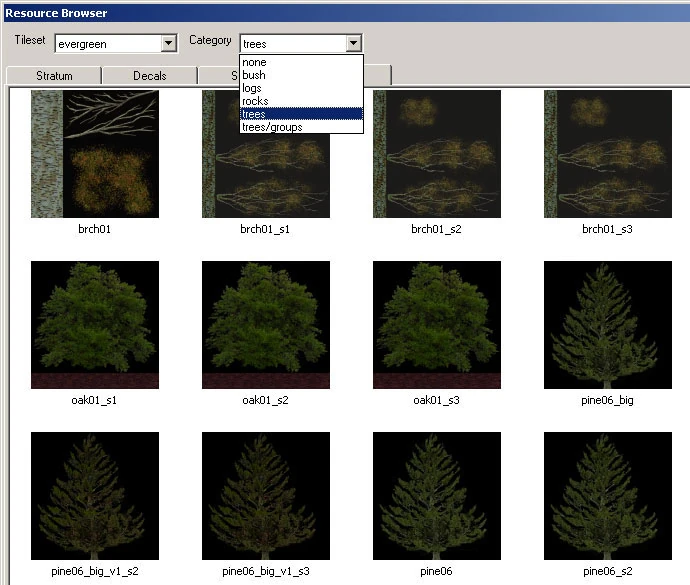
The resouce browser
This window contains a collection of resources (Textures, props, decals,...) which can be used in the various tools.